

by Mad Artist Publishing Ltd.
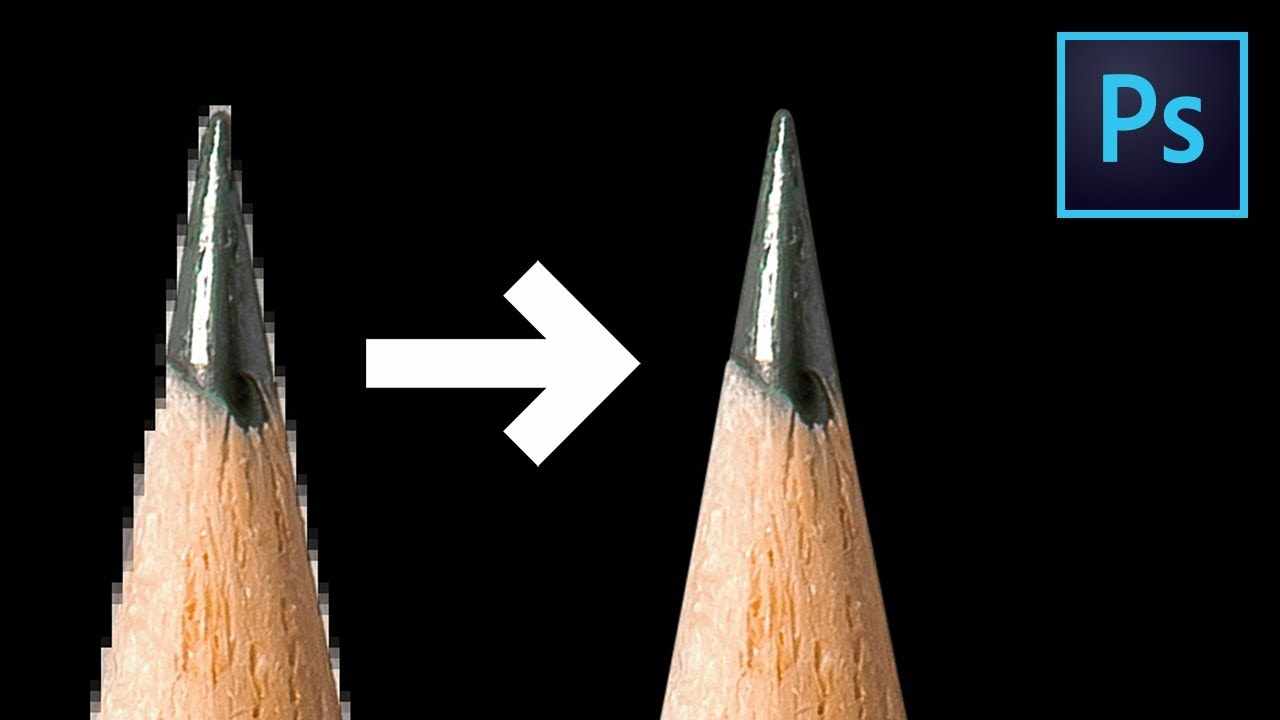
Make Amazing Selections and Smooth Masks Quickly Using the Combination of 2 Hidden Sliders in Photoshop CC! Learn how to get rid of jagged edges by working the right settings in "Select & Mask" properties and then use the combination to refine the edge further.
I hope this video helps. Thanks for watching!
DOWNLOADS:
1. Sample Images: https://goo.gl/23CzEU
2. Finished PSD: https://goo.gl/RXbpVZ (Only for our Patreon Family)
PiXimperfect is free, and will always be.
SUPPORT the cause: https://www.patreon.com/piximperfect
SHARE: https://goo.gl/IUhnUl
LET'S CONNECT:
Facebook: http://facebook.com/piximperfect
Twitter: https://twitter.com/piximperfect
Instagram: https://www.instagram.com/piximperfect
Google+: https://plus.google.com/+UnmeshDinda




NOW TRENDING
-
Funny CGI 3d Animated Short Film ** MISS DAISY ** Killer Action cgi movie by NAD-UQAC Team

-
Sci-Fi Comedy Animated Film * FIGHTING SPIRITS * Academy Award Nominated Short Film by Gene Kim

-
Zbrush Tutorial HD Pixologic Zbrush Siggraph 2012 - Part2 | CGMeetup
-
Cute Adventure Fantasy CGI 3d Animated Short Film ** SPRING ** by Blender Foundation

-
Sci-Fi Action CGI Animated Short Film ** INITIUM ** Space Travel Action CG movie by ArtFX Team

NEWSLETTER